Getting started
Getting started
MonVa works the moment you open it — no sign-up, no setup, fully offline. Here’s how to get going in a couple of minutes.
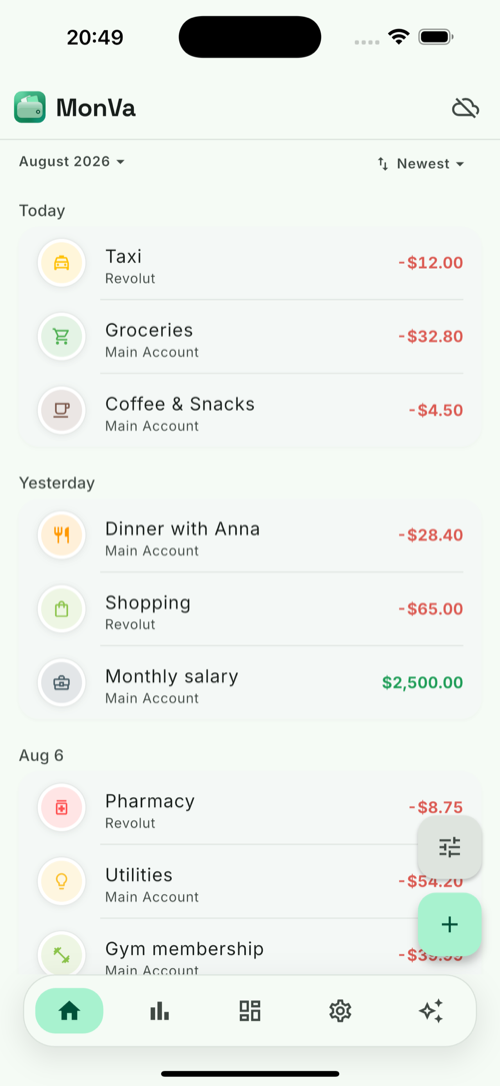
1. Add your first transaction
Tap + on the Home screen and choose how to log it:
- Voice — say “coffee 3.50” and AI fills in the amount, currency and category.
- Scan — photograph a receipt or a payment screenshot.
- Manual — type it in.
See Capture methods and Vaulty for the smart bits.
2. Set up your accounts
Add the places your money lives — cash, bank cards and more — each in its own currency. MonVa combines them into one clear total. See Accounts and Currency conversion.
3. Make it yours (optional)
- Budgets — set spending limits and watch live progress. → Budgets
- Recurring — auto-post rent, salary and subscriptions. → Recurring
- Apple Pay tracking — capture in-store payments automatically. → Apple Pay
- App lock — protect the app with a PIN + Face ID. → Security
4. Sign in (optional)
Signing in (magic link — no password) enables cloud sync across devices and AI features like voice parsing and the Vaulty chat. Stay signed out and everything stays on your device. See Security & data.
✅
That’s it — no account required to start. Add a few transactions and the
Statistics tab and Vaulty start telling you where your money goes.
Money you want to keep for something specific goes into a savings goal, which lives on its own account so it stays out of what you can spend today.